
 Chat on WhatsApp
Smart board · China
N.H352.819 V7 BLUETOOTH 1G 8G TV Software & Firmware Download
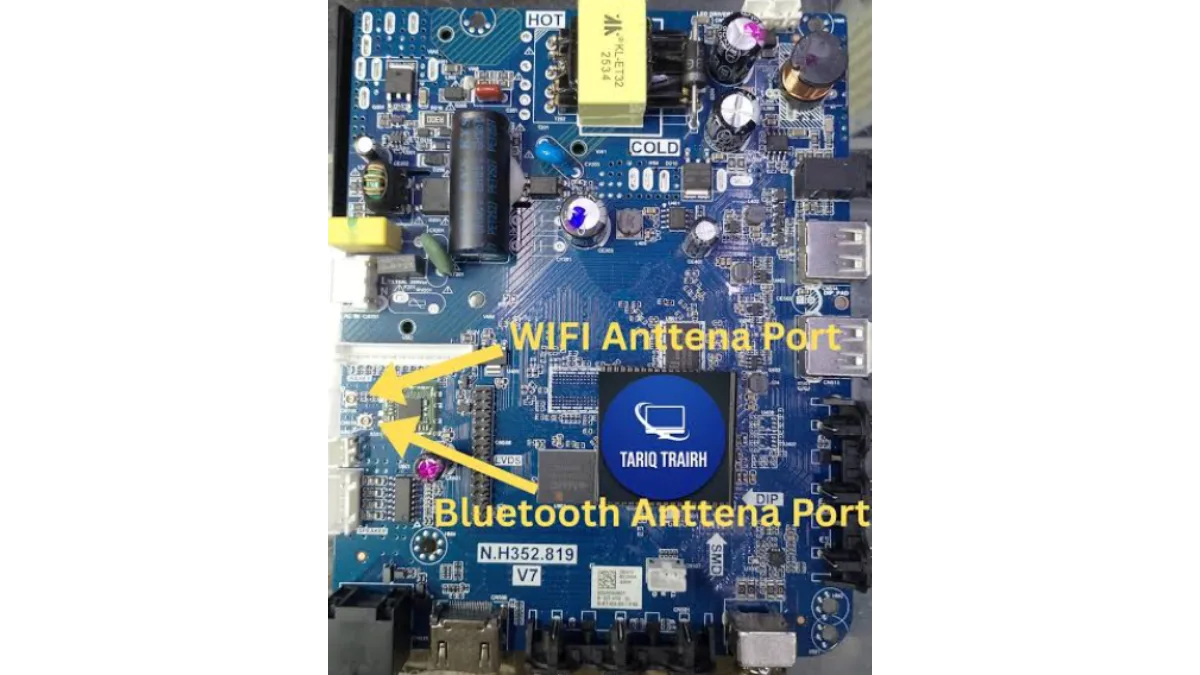
Software for the N.H352.819 V7 BLUETOOTH 1G 8G smart TV board, for the 1366x768 screen (24 to 32 inch). For 1 GB RAM. Works with the Samsung remote. Installed with a USB stick.
Software for each TV size (1)
1366x76824 to 32 inch
1 GB RAM · 8 GB ROM · Bluetooth · Remote Samsung
Size 611 MBPKR 1,200
Every download is also saved in My software, to download again later.
Each resolution is bought on its own and unlocks only that file. After payment it is saved to your account under My software.
Match these 3 before you download
Disclaimer: Install this software at your own risk. We are not responsible if the board stops working.
Brand names belong to their owners. Rights holder with a concern about this file? See our copyright policy and disclaimer.
- Brand
- China
- Mother board serial number
- N.H352.819 V7 BLUETOOTH 1G 8G
- Board type
- Smart Android
- Install method
- USB stick
SOURCE 03661 FOR 1366X768 SOURCE 03662 FOR 1920X1080
How to install
Unzip the file on a computer, copy it to a USB stick, put it in the TV, switch on and wait. Do not switch off while it installs.
Step by step install guide →Dos and don'ts before you burn →N.H352.819 V7 BLUETOOTH 1G 8G resolution code
The N.H352.819 V7 BLUETOOTH 1G 8G software here is for 1366x768 screens, usually 24 to 32 inch. The resolution is set by the software file, so check the resolution on the sticker on the back of the panel and install the file made for it.
Problems after install?
Picture upside down, lines on the screen, or the TV does not start. Each has a simple fix.
See the fixes →File not working, or a problem with it? Report it on WhatsApp
No reviews of this part yet. Bought it? Yours would be the first.
No questions about this part yet. Ask about fitment, condition or what's in the box, and we'll answer here.
Not sure which software you need?
We'll check it for you before you download. Send us a photo on WhatsApp.
+923390116960- 1Photo the board number
White print on the green board inside the TV.
- 2Photo the screen sticker
On the metal back of the screen.
- 3Send both on WhatsApp
We reply with the right software.