 Chat on WhatsApp
TV Motherboards Explained: Combo Boards, Universal Boards and Google TV Boards for LED TVs
What a TV motherboard does, the signs of a dead main board, and how to choose a universal LED TV board, a V56 combo board or an Android and Google TV board by panel size, resolution and backlight voltage.
4 min readBy the module.pk teamاردو میں پڑھیں ↓
Browse all 10 TV Motherboards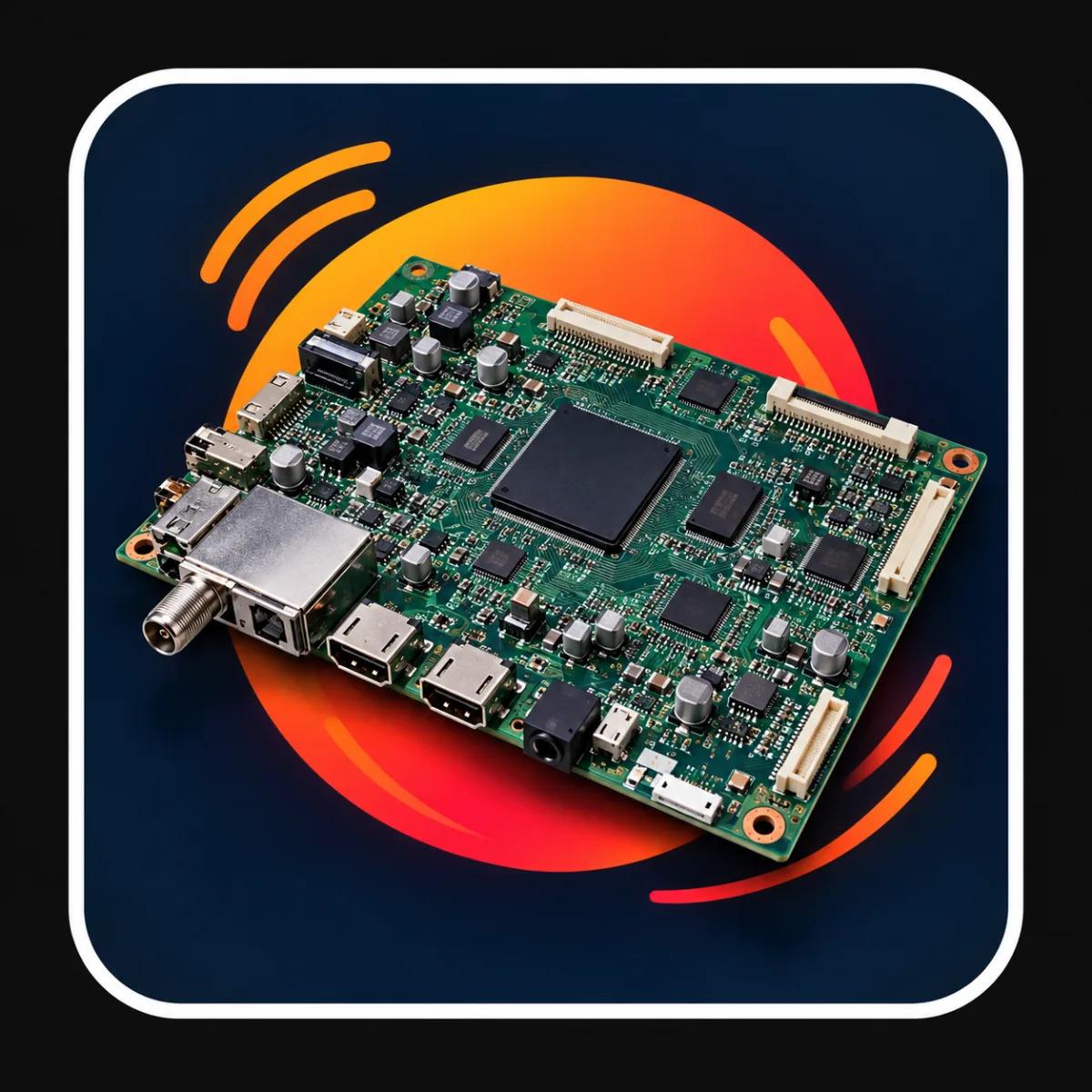
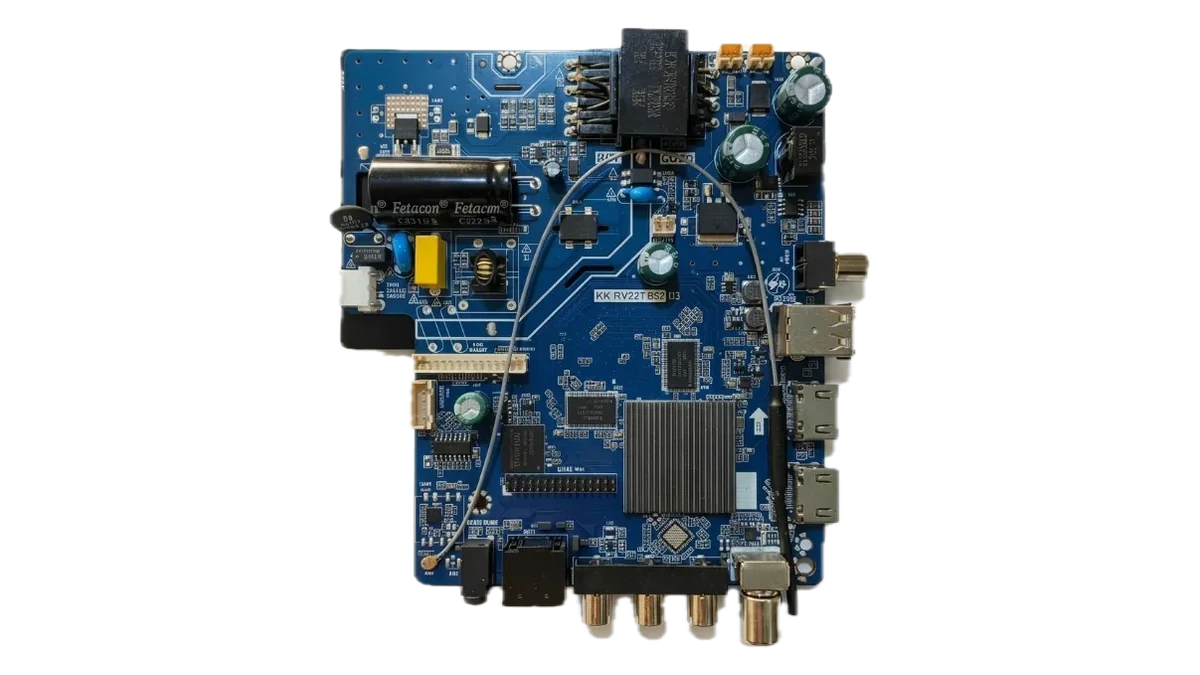
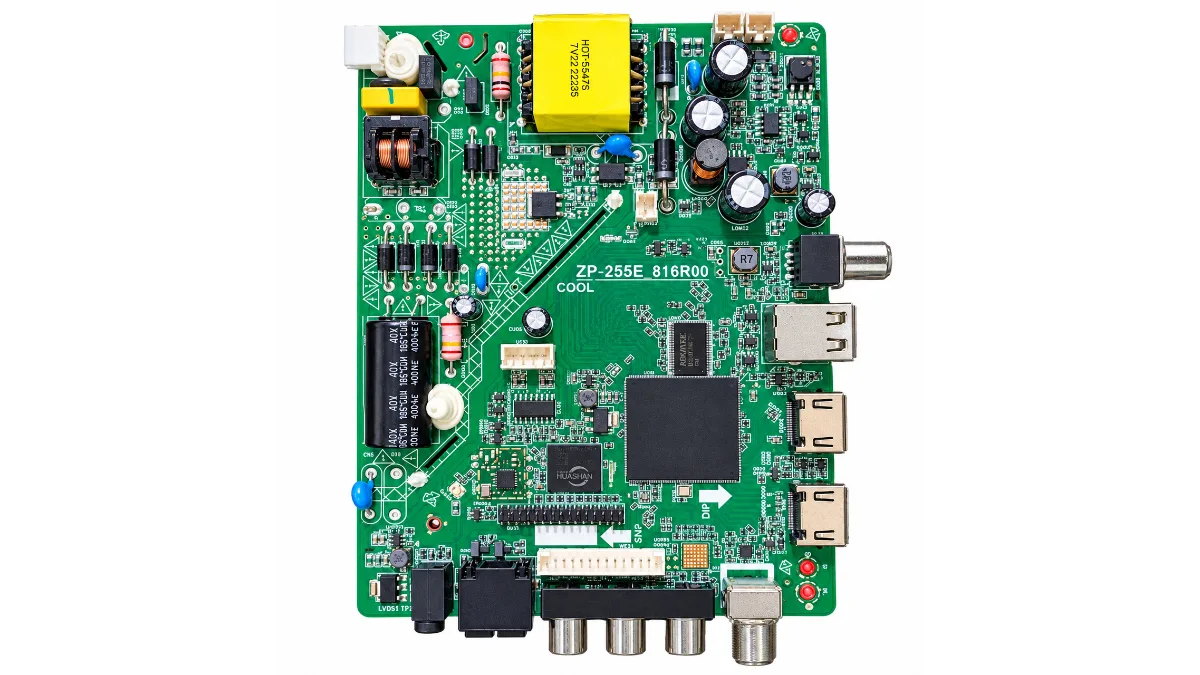
The TV motherboard, also called the main board or mainboard, is the brain of an LED TV. It takes the signal from HDMI, USB, antenna or WiFi, decodes it, and sends the picture to the panel and the sound to the speakers. When it fails, the TV may not turn on at all, may stick on the logo, or may show a picture with no sound or no input.
This guide explains the main types of LED TV boards sold in Pakistan, from simple universal combo boards for 19 to 32 inch TVs to Android and Google TV boards that turn an old screen into a smart TV. Every board we sell is listed in our TV motherboards category.
module.pk, the first in Pakistan to build a TV backlight catalogue, brings all TV repair support onto one platform, so the board, the backlight, the cables and the firmware for a repair can all come from one place.
What does a TV motherboard do?
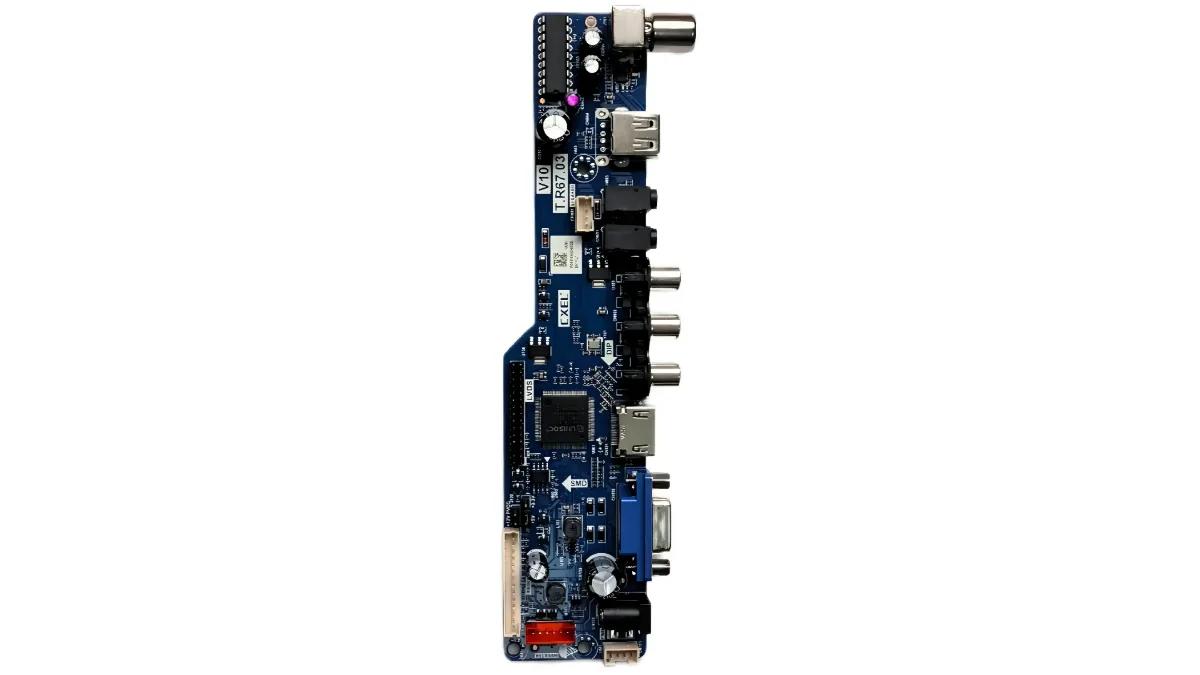
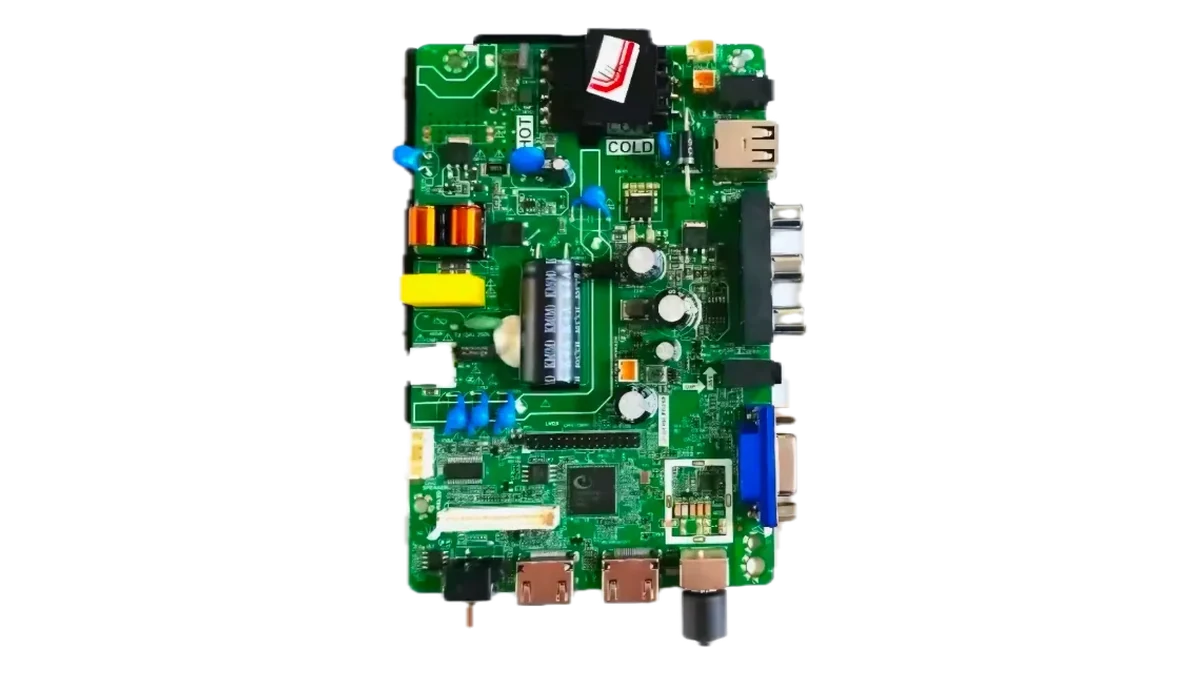
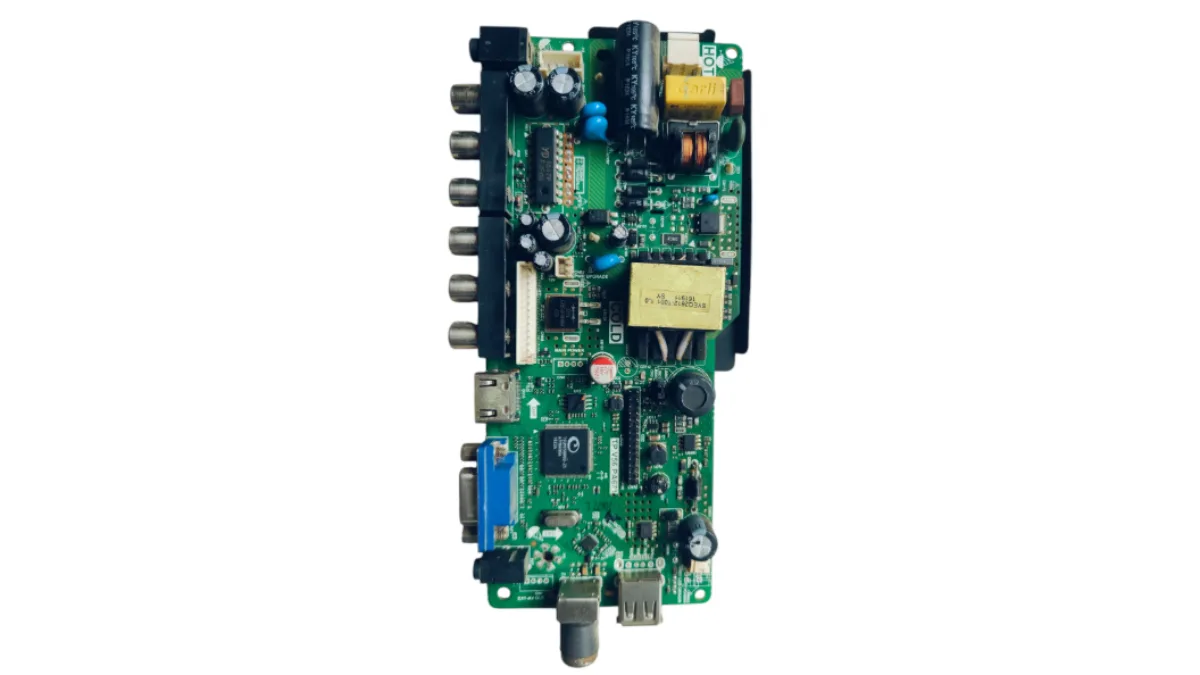
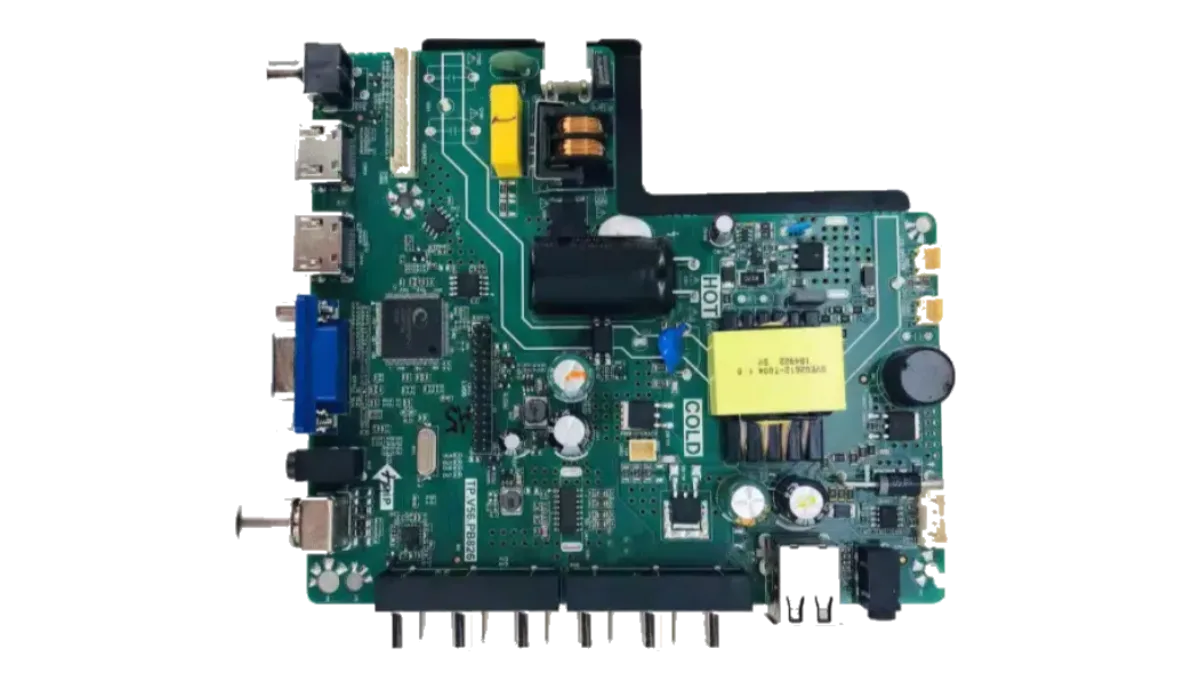
Inside the TV, the motherboard sits between the inputs and the panel. It contains the main processor (the SoC), the memory, the tuner, the audio amplifier and the LVDS output that talks to the panel's T-con board. On many budget TVs it also contains the power supply and the backlight driver on the same board, which is why these are called combo boards or 3 in 1 boards.
- Signal processing: HDMI, AV, USB media, antenna and on smart boards WiFi and apps.
- Panel output: an LVDS or V by One signal at the panel's resolution.
- Audio: a built in amplifier for the TV speakers.
- On combo boards: the mains power supply and the constant current backlight driver too.
Signs of a faulty TV main board
Before buying a new board, rule out the backlight: a TV with sound but a black screen usually needs backlight strips, not a motherboard.
- The TV does not turn on and the standby light stays off or blinks, while the power supply is fine.
- The TV is stuck on the brand logo or keeps restarting.
- No response from the remote or the keypad buttons.
- HDMI, USB or the antenna input has stopped working.
- Picture is upside down, split, or shows lines after a software update went wrong. This is often fixed with the right TV software and firmware rather than a new board.
Types of TV boards we sell
Most boards fall into three groups:
| Type | Typical screen | Use it when |
|---|---|---|
| Combo board (V56, SK108) | 19 to 32 inch | The original board and power supply are dead and you want one cheap board that does both. |
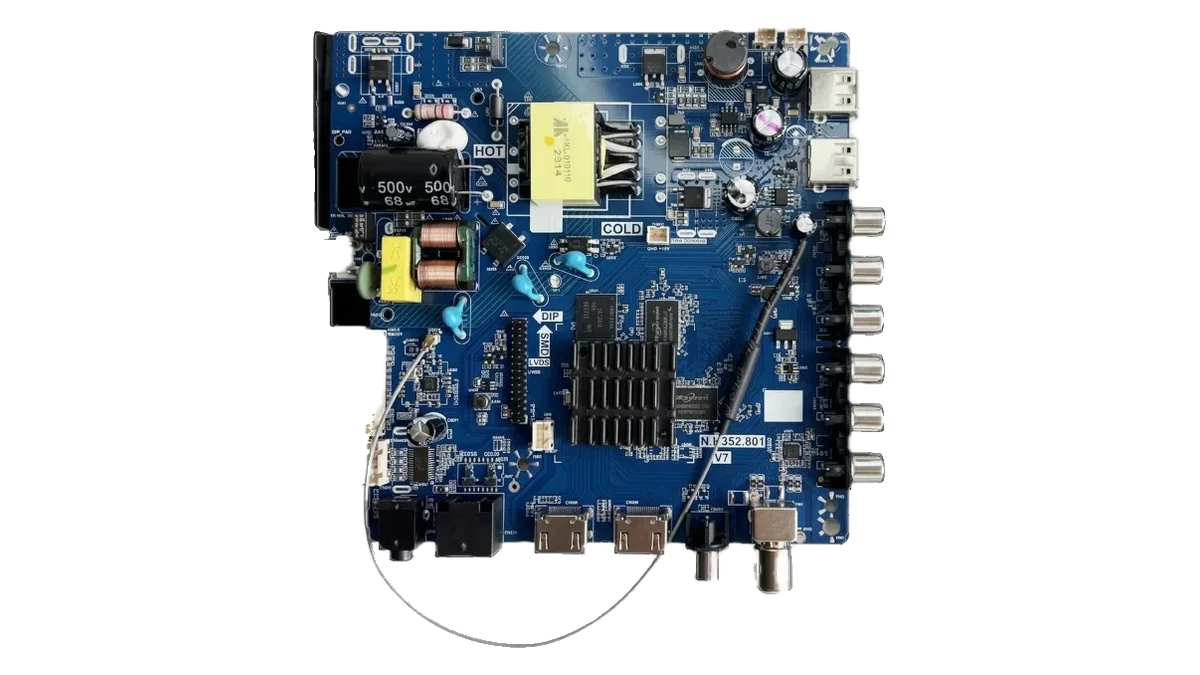
| Universal main board (T.R67.03) | Up to about 42 inch | You keep the TV's own power supply and need a reliable non smart board. |
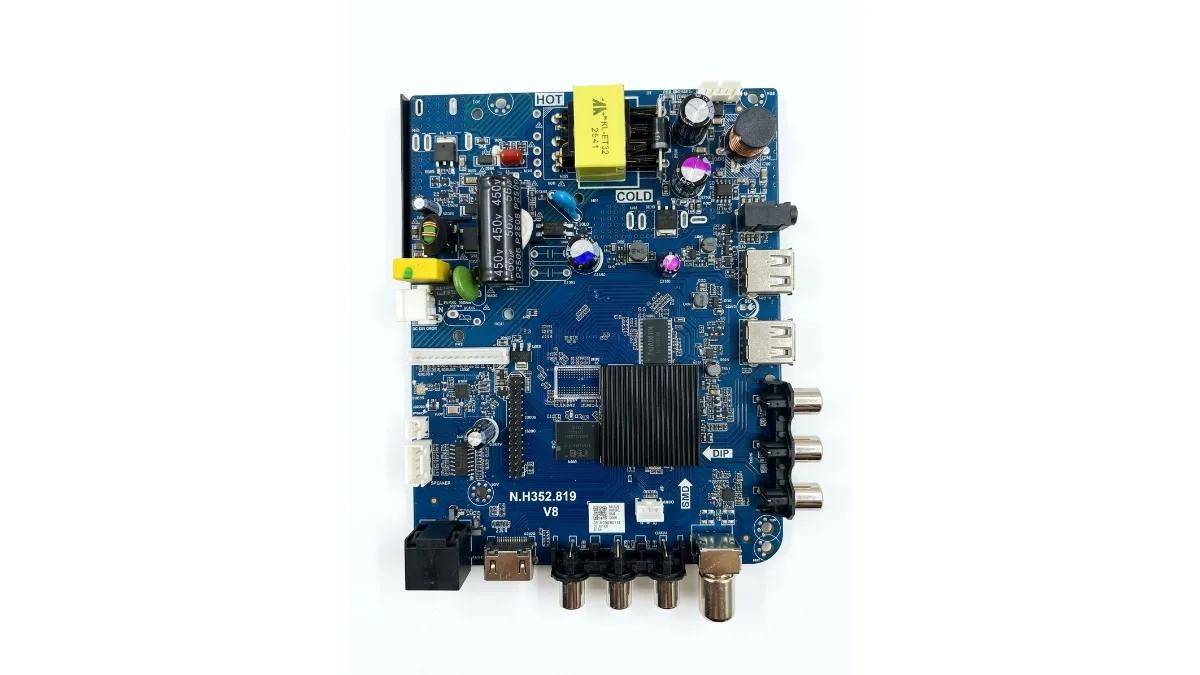
| Android or Google TV board | 17 to 65 inch | You want YouTube, Netflix and apps on an old screen, or the original smart board has failed. |
How to choose a universal TV board
A universal board can run almost any panel, but only when it is set up for it. Check these points before ordering:
- Panel resolution: 1366x768 (HD), 1920x1080 (Full HD) or 3840x2160 (4K). Read the sticker on the back of the panel.
- LVDS connector: 30 pin for most HD panels, 51 pin for most Full HD panels. See our guide to LVDS cables and TV accessories.
- Backlight voltage and current for combo boards: the board's driver must suit the strips.
- Software: the board must be loaded with the firmware for your panel. We can load it before dispatch, or you can download it from our TV software page.
- Remote and keypad: a universal board usually comes with its own remote, and a matching keypad with IR sensor is available.
Find a board with the filters on module.pk
Chinese and locally assembled LED TVs often have no useful model number, so our TV motherboards page lets you search by the board number printed on the green board inside the TV, such as T.R67.03. Then filter by what your panel needs:
- Smart TV: show only smart Android and Google TV boards or only non smart boards.
- Supported resolution: for example only boards that run Full HD 1920x1080 panels or HD 1366x768 panels.
- Backlight voltage, RAM, ROM, Android version, Bluetooth and remote filters for exact matching.
- Sort by price and send any filtered list on WhatsApp, since the link keeps your filters.
Smart upgrade: Google TV and Android boards
If your old LED TV has a perfect panel but no apps, replacing the main board with an Android or Google TV board gives it YouTube, Netflix, a web browser and the Play Store, often for less than a new smart TV. For a cheaper upgrade that needs no opening at all, an Android TV box plugged into HDMI does much the same job.
Frequently asked questions
Will a universal TV board work with my TV?
Usually yes, if it matches your panel's resolution and LVDS connector and is loaded with the right software for the panel.
What is a V56 combo board?
A board that combines the main board, the power supply and the LED backlight driver for small LED TVs, typically 19 to 32 inch.
Can I make my LED TV smart with a new board?
Yes. An Android or Google TV motherboard adds apps and WiFi to a TV with a working panel.
اردو میں
ٹی وی مدر بورڈ کی پوری سمجھ: کومبو بورڈ، یونیورسل بورڈ اور گوگل ٹی وی بورڈ
ٹی وی مدر بورڈ کو مین بورڈ بھی کہتے ہیں، یہ LED ٹی وی کا دماغ ہے۔ یہ HDMI، USB، اینٹینا یا WiFi سے سگنل لیتا ہے، اسے پڑھتا ہے، اور تصویر پینل کو اور آواز سپیکر کو بھیجتا ہے۔ یہ خراب ہو تو ٹی وی بالکل آن نہیں ہوتا، لوگو پر رک جاتا ہے، یا تصویر آتی ہے مگر آواز یا ان پٹ نہیں۔
اس گائیڈ میں پاکستان میں بکنے والے LED ٹی وی بورڈ کی بڑی قسمیں ہیں، 19 سے 32 انچ کے سادہ یونیورسل کومبو بورڈ سے لے کر اینڈرائیڈ اور گوگل ٹی وی بورڈ تک جو پرانی سکرین کو سمارٹ ٹی وی بنا دیتے ہیں۔ ہمارے سارے بورڈ TV motherboards کیٹیگری میں ہیں۔
module.pk، جس نے پاکستان میں سب سے پہلے ٹی وی بیک لائٹ کیٹلاگ بنایا، ٹی وی مرمت کی ساری سپورٹ ایک پلیٹ فارم پر لاتا ہے، تاکہ ایک مرمت کے لیے بورڈ، بیک لائٹ، کیبل اور فرم ویئر سب ایک جگہ سے مل جائیں۔
ٹی وی مدر بورڈ کیا کام کرتا ہے؟
ٹی وی کے اندر مدر بورڈ ان پٹ اور پینل کے بیچ ہوتا ہے۔ اس پر مین پروسیسر، میموری، ٹیونر، آڈیو ایمپلیفائر اور LVDS آؤٹ پٹ ہوتا ہے جو پینل کے T-con بورڈ سے بات کرتا ہے۔ بہت سے سستے ٹی وی میں پاور سپلائی اور بیک لائٹ ڈرائیور بھی اسی بورڈ پر ہوتے ہیں، اسی لیے انہیں کومبو بورڈ یا 3 ان 1 بورڈ کہتے ہیں۔
- سگنل کا کام: HDMI، AV، USB، اینٹینا، اور سمارٹ بورڈ پر WiFi اور ایپس۔
- پینل کو تصویر: پینل کے ریزولوشن پر LVDS یا V by One سگنل۔
- آواز: ٹی وی سپیکر کے لیے بلٹ ان ایمپلیفائر۔
- کومبو بورڈ پر: بجلی کی پاور سپلائی اور بیک لائٹ ڈرائیور بھی۔
خراب مین بورڈ کی نشانیاں
نیا بورڈ لینے سے پہلے بیک لائٹ چیک کریں: آواز ہو اور سکرین کالی ہو تو عام طور پر بیک لائٹ پٹیاں چاہیے ہوتی ہیں، مدر بورڈ نہیں۔
- ٹی وی آن نہیں ہوتا اور سٹینڈ بائی لائٹ بند رہتی یا جلتی بجھتی ہے، جبکہ پاور سپلائی ٹھیک ہے۔
- ٹی وی برانڈ کے لوگو پر رک جاتا ہے یا بار بار ری سٹارٹ ہوتا ہے۔
- ریموٹ یا ٹی وی کے بٹنوں پر کوئی جواب نہیں۔
- HDMI، USB یا اینٹینا کام نہیں کر رہا۔
- سافٹ ویئر اپ ڈیٹ خراب ہونے کے بعد تصویر الٹی، کٹی ہوئی یا لکیروں والی ہے۔ یہ اکثر نئے بورڈ کے بجائے صحیح ٹی وی سافٹ ویئر اور فرم ویئر سے ٹھیک ہو جاتا ہے۔
ہمارے پاس کون سے ٹی وی بورڈ ہیں
زیادہ تر بورڈ تین قسموں میں آتے ہیں:
| قسم | عام سکرین | کب لگائیں |
|---|---|---|
| کومبو بورڈ (V56، SK108) | 19 سے 32 انچ | اصل بورڈ اور پاور سپلائی دونوں خراب ہوں اور ایک سستا بورڈ دونوں کام کرے۔ |
| یونیورسل مین بورڈ (T.R67.03) | تقریباً 42 انچ تک | ٹی وی کی اپنی پاور سپلائی رکھنی ہو اور ایک پکا نان سمارٹ بورڈ چاہیے۔ |
| اینڈرائیڈ یا گوگل ٹی وی بورڈ | 17 سے 65 انچ | پرانی سکرین پر YouTube، Netflix اور ایپس چاہییں، یا اصل سمارٹ بورڈ خراب ہو۔ |
یونیورسل ٹی وی بورڈ کیسے چنیں
یونیورسل بورڈ تقریباً ہر پینل چلا سکتا ہے، لیکن صرف تب جب اسے اس پینل کے لیے سیٹ کیا جائے۔ آرڈر سے پہلے یہ چیک کریں:
- پینل کا ریزولوشن: 1366x768 (HD)، 1920x1080 (فل HD) یا 3840x2160 (4K)۔ پینل کے پیچھے سٹیکر دیکھیں۔
- LVDS کنیکٹر: زیادہ تر HD پینل کے لیے 30 پن، فل HD کے لیے 51 پن۔ ہماری LVDS کیبل اور ٹی وی ایکسیسریز کی گائیڈ دیکھیں۔
- بیک لائٹ وولٹیج اور کرنٹ کومبو بورڈ کے لیے: بورڈ کا ڈرائیور پٹیوں کے مطابق ہو۔
- سافٹ ویئر: بورڈ میں آپ کے پینل کا فرم ویئر ہونا چاہیے۔ ہم بھیجنے سے پہلے ڈال سکتے ہیں، یا آپ ہمارے TV software پیج سے ڈاؤن لوڈ کر سکتے ہیں۔
- ریموٹ اور کی پیڈ: یونیورسل بورڈ کے ساتھ اپنا ریموٹ آتا ہے، اور ساتھ کا IR سینسر والا کی پیڈ بھی ملتا ہے۔
module.pk کے فلٹرز سے بورڈ ڈھونڈیں
چائنا اور مقامی LED ٹی وی پر اکثر کام کا ماڈل نمبر نہیں ہوتا، اس لیے ہمارے TV motherboards پیج پر آپ ٹی وی کے اندر سبز بورڈ پر لکھا بورڈ نمبر سرچ کر سکتے ہیں، جیسے T.R67.03۔ پھر پینل کی ضرورت کے مطابق فلٹر لگائیں:
- سمارٹ ٹی وی: صرف سمارٹ اینڈرائیڈ اور گوگل ٹی وی بورڈ یا صرف نان سمارٹ بورڈ۔
- ریزولوشن: مثلاً صرف وہ بورڈ جو فل HD 1920x1080 پینل یا HD 1366x768 پینل چلاتے ہیں۔
- بیک لائٹ وولٹیج، RAM، ROM، اینڈرائیڈ ورژن، بلوٹوتھ اور ریموٹ کے فلٹر، پکے میچ کے لیے۔
- قیمت سے ترتیب دیں اور کوئی بھی فلٹر لگی لسٹ WhatsApp پر بھیجیں، لنک میں فلٹر ساتھ رہتے ہیں۔
سمارٹ اپ گریڈ: گوگل ٹی وی اور اینڈرائیڈ بورڈ
اگر آپ کے پرانے LED ٹی وی کا پینل بالکل ٹھیک ہے مگر ایپس نہیں ہیں، تو مین بورڈ کی جگہ اینڈرائیڈ یا گوگل ٹی وی بورڈ لگانے سے YouTube، Netflix، ویب براؤزر اور Play Store آ جاتے ہیں، اکثر نئے سمارٹ ٹی وی سے کم خرچ میں۔ بغیر ٹی وی کھولے سستا طریقہ یہ ہے کہ HDMI میں اینڈرائیڈ ٹی وی باکس لگا دیں۔
اکثر پوچھے جانے والے سوال
کیا یونیورسل ٹی وی بورڈ میرے ٹی وی میں لگ جائے گا؟
عام طور پر ہاں، اگر وہ آپ کے پینل کے ریزولوشن اور LVDS کنیکٹر سے ملتا ہو اور اس میں پینل کا صحیح سافٹ ویئر ڈالا گیا ہو۔
V56 کومبو بورڈ کیا ہوتا ہے؟
ایسا بورڈ جس میں مین بورڈ، پاور سپلائی اور LED بیک لائٹ ڈرائیور تینوں ہوں، عام طور پر 19 سے 32 انچ کے ٹی وی کے لیے۔
کیا نئے بورڈ سے LED ٹی وی سمارٹ بن سکتا ہے؟
جی ہاں۔ اینڈرائیڈ یا گوگل ٹی وی مدر بورڈ ٹھیک پینل والے ٹی وی میں ایپس اور WiFi لے آتا ہے۔