
 Chat on WhatsApp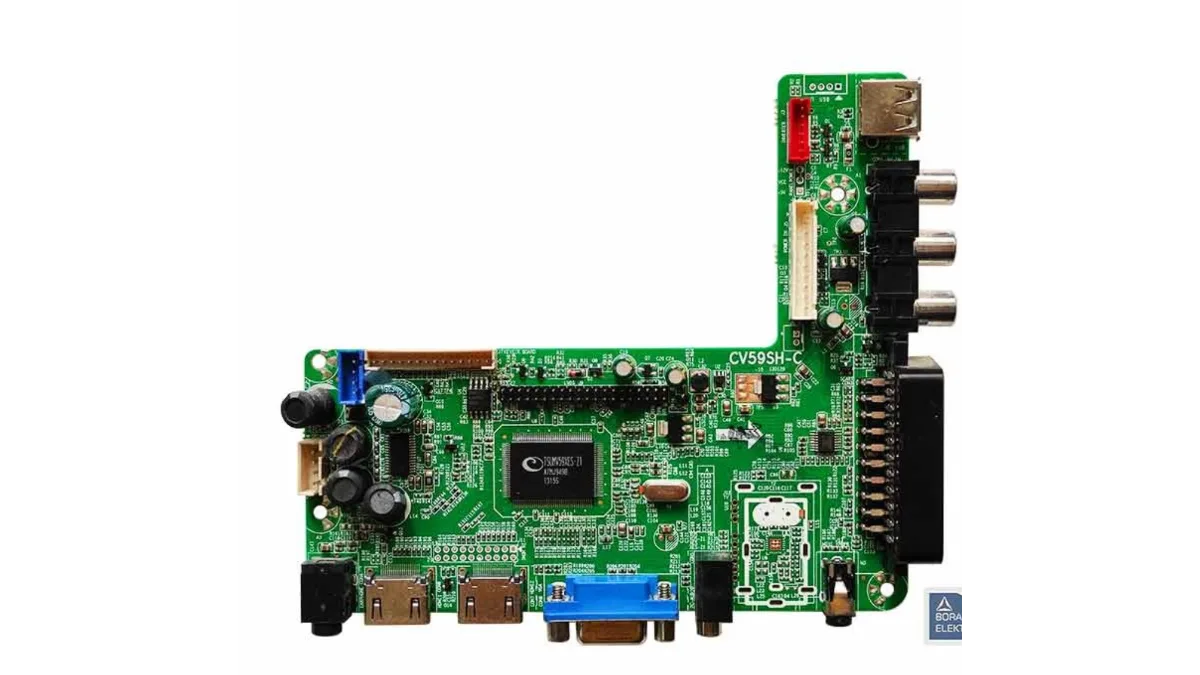
CV59SH-C Software
Free software for the CV59SH-C universal TV board, for the 1366x768 screen (24 to 32 inch). Works with the Samsung remote. Installed with a programmer.
Software for each TV size (1)
1366x76824 to 32 inch
Remote Samsung
Free. Sign up with your name, phone and email to download. Each version can be downloaded 5 times a month, and it is saved to your account under My software.
Match these 3 before you download
Disclaimer: Install this software at your own risk. We are not responsible if the board stops working.
Specifications
- Brand
- China
- Mother board serial number
- CV59SH-C
- Board type
- Universal
- Factory open method
- Menu, 1147
- Install method
- Programmer (RT809H)
How to install
Copy the file to a USB stick, put it in the TV, switch on and wait. Do not switch off while it installs.
Step by step install guide →Factory menu
Press these buttons on the remote, one by one.
Problems after install?
Picture upside down, lines on the screen, or the TV does not start. Each has a simple fix.
See the fixes →Customer reviews
گاہکوں کی رائےNo reviews for this part yet. If you've fitted one, yours would be the first.
Questions about this product
سوال جوابNo questions about this part yet. Ask anything — fitment, condition, what's in the box — and we'll answer here.
Not sure which software you need?
We'll check it for you before you download. Send us a photo on WhatsApp.
+923390116960- 1Photo the board number
White print on the green board inside the TV.
- 2Photo the screen sticker
On the metal back of the screen.
- 3Send both on WhatsApp
We reply with the right software.